Company setup
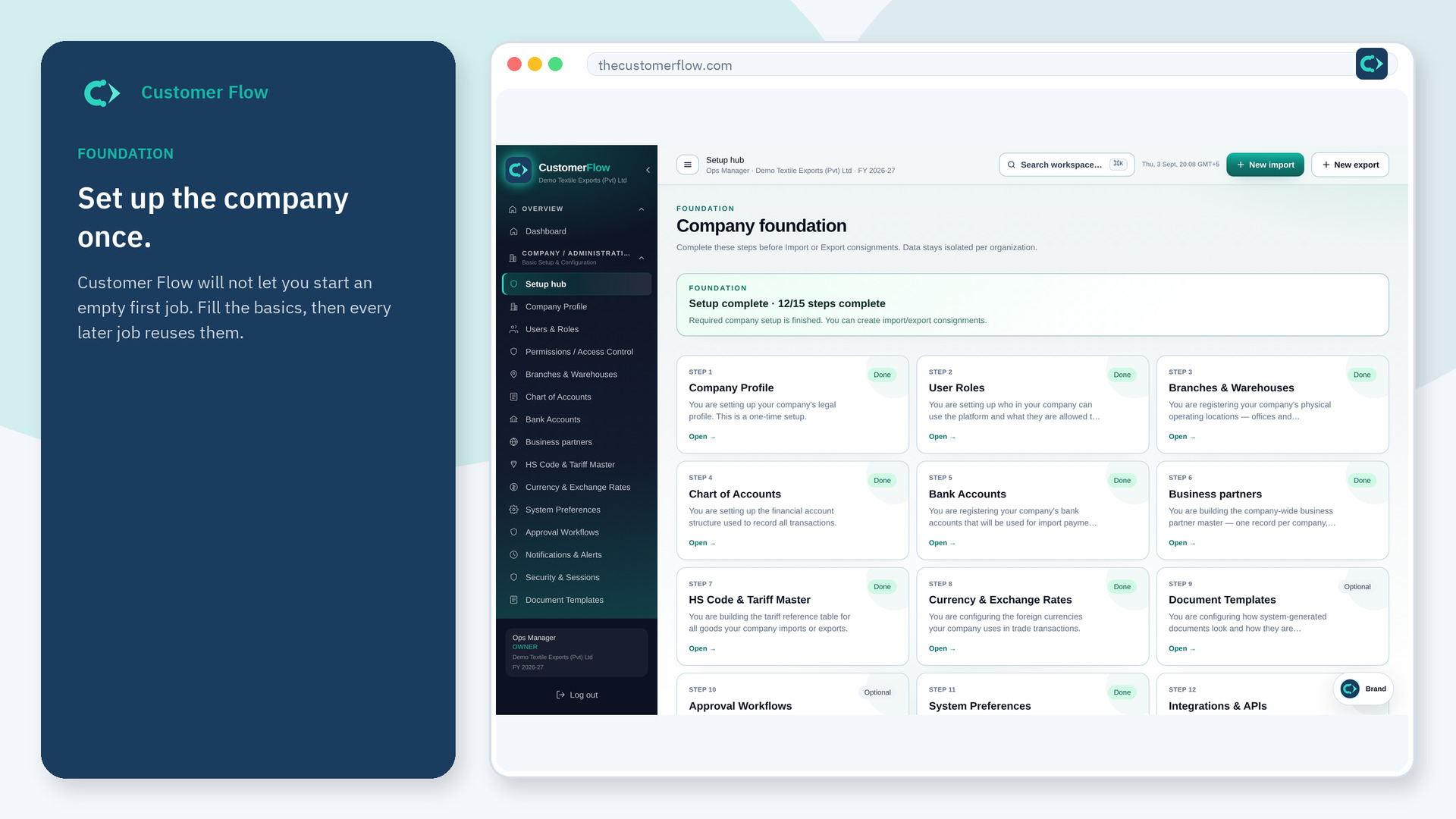
A checklist of foundation work. Green means the company is ready for a live file. Red means something is still missing.
Where to find it: Left menu → Company / Administration → Setup hub
Step 1
Left menu → Company / Administration → Setup hub. If the name is missing, your role does not include it — ask an admin in Users & Roles.
Step 2
Work top to bottom. Open each open step, fill the form, and save. Required steps must be green before New import and New export unlock.
Step 3
The progress card should show fewer open items. Required steps stay listed until they are complete.
Yes. Setup hub is a signed-in workspace screen. This public page teaches the screen with a picture and a link to the feature video. It never shows another company’s data.
The left menu only shows screens your role may open. Ask a company admin to grant the matching permission, or to show you which role should own this step.
A required setup step is still open. Complete company, locations, accounts, bank, tariffs, currency, preferences, notifications, and security.
