Finance
A live glance at journals, open periods, AP/AR (including overdue), bank match, payments, and expenses. Every KPI and tile jumps to the matching Finance workspace.
Where to find it: Left menu → Finance & Accounting → Finance Dashboard
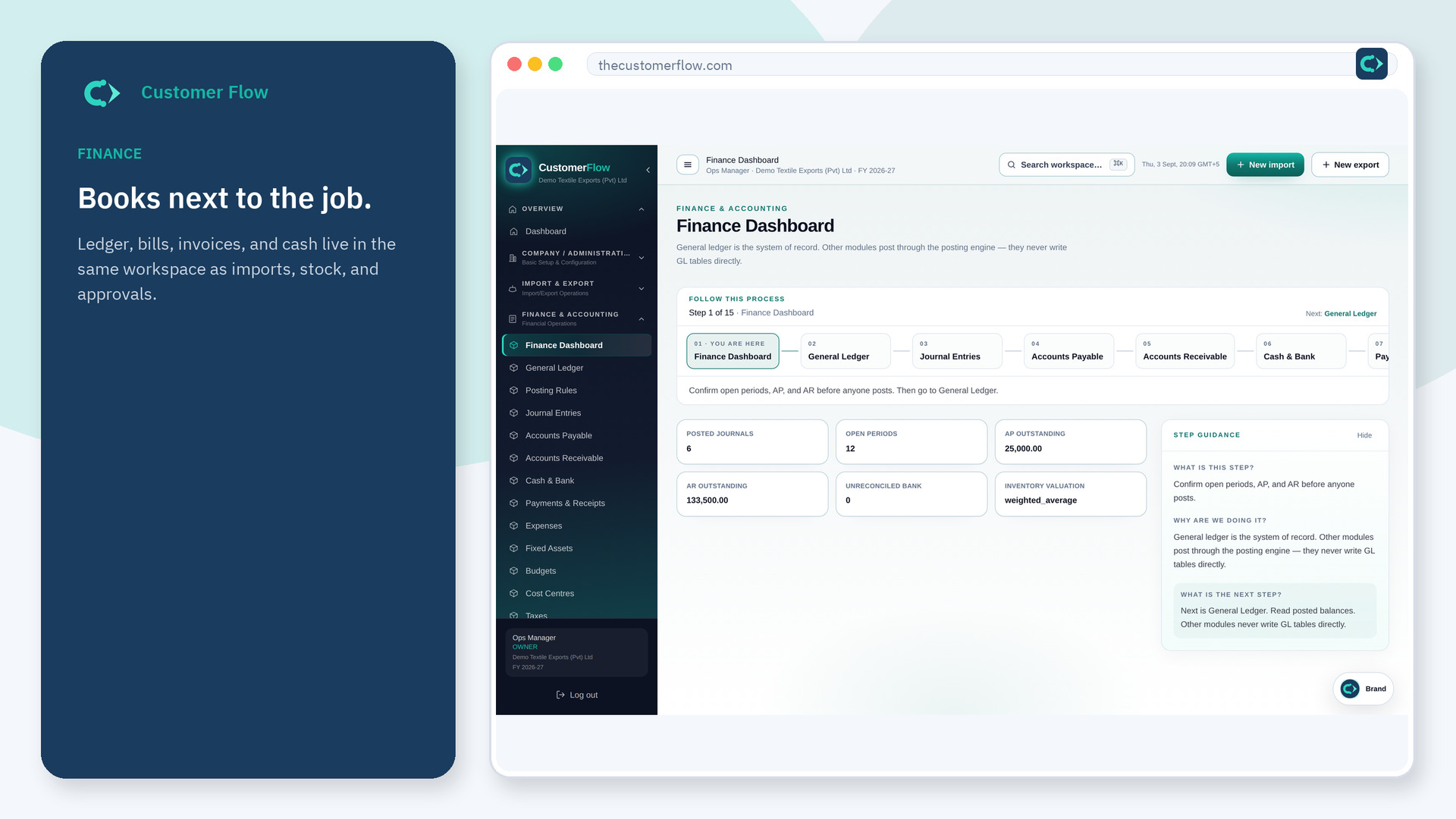
Step 1
Left menu → Finance & Accounting → Finance Dashboard. If the name is missing, your role does not include it — ask an admin in Users & Roles.
Step 2
Read the attention list first. Click a KPI or Jump tile to open that screen. Confirm the period is open before anyone posts.
Step 3
Numbers should match General Ledger and the AP/AR lists. If they do not, fix the source document, not the dashboard.
Yes. Finance Dashboard is a signed-in workspace screen. This public page teaches the screen with a picture and a link to the feature video. It never shows another company’s data.
The left menu only shows screens your role may open. Ask a company admin to grant the matching permission, or to show you which role should own this step.
Treat it as a snapshot unless a widget says live. Open the ledger when you need the posting of record.
