
Finance
How to use Fixed Assets in Customer Flow
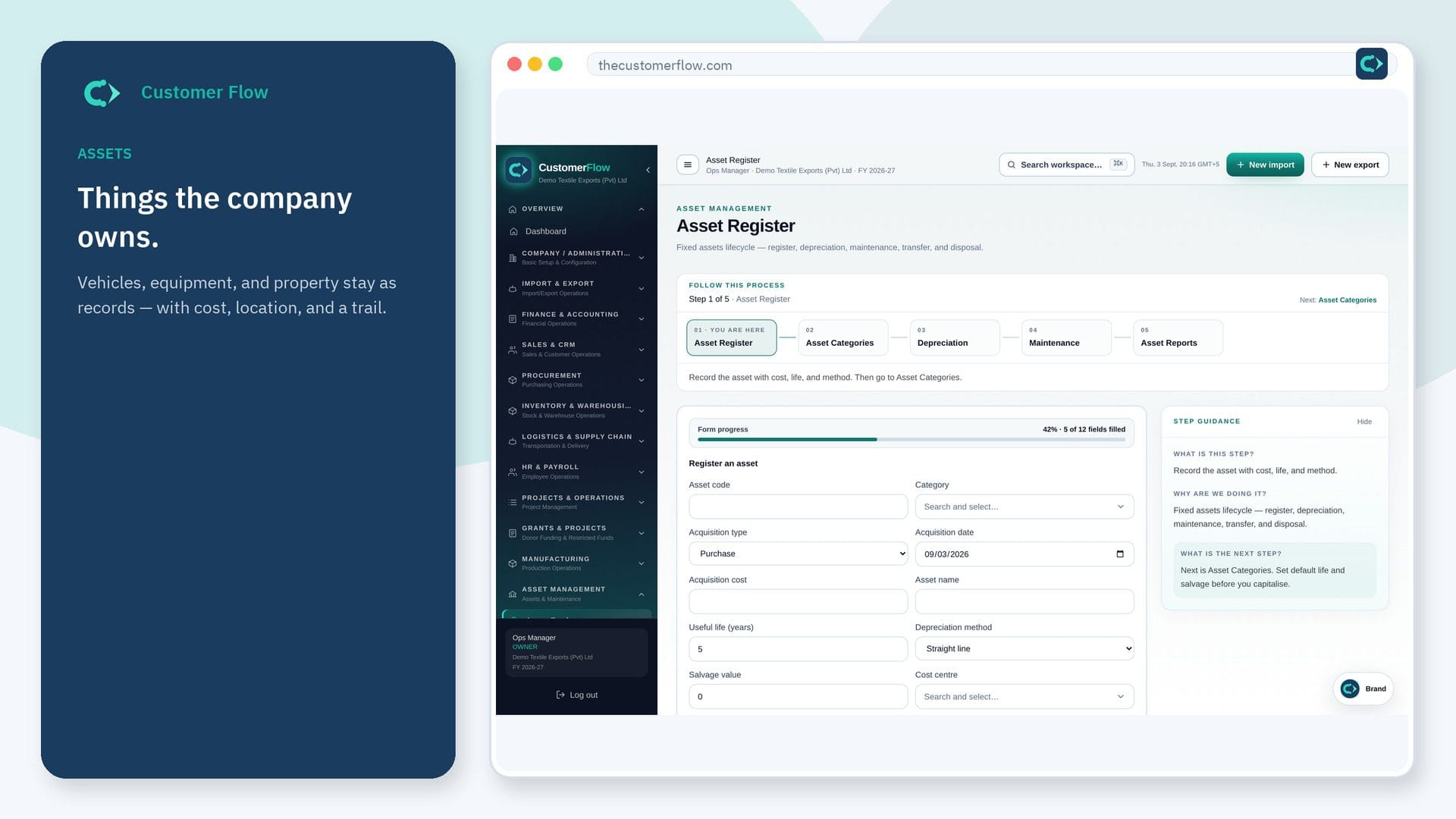
Depreciation posts here. The asset register — cost, life, method — lives under Asset Management.
Where to find it: Left menu → Finance & Accounting → Fixed Assets
Every step
Step 1
Open the screen
Left menu → Finance & Accounting → Fixed Assets. If the name is missing, your role does not include it — ask an admin in Users & Roles.
Step 2
Do the work
Run or review the period depreciation after the register is complete. Do not create a ghost asset only in finance.
Step 3
Check it saved
The expense and accumulated depreciation accounts should move together. The register book value should agree.
Questions people ask
Do I need to log in to use Fixed Assets?
Yes. Fixed Assets is a signed-in workspace screen. This public page teaches the screen with a picture and a link to the feature video. It never shows another company’s data.
I cannot see Fixed Assets in the menu. Why?
The left menu only shows screens your role may open. Ask a company admin to grant the matching permission, or to show you which role should own this step.
Where do I add a new vehicle or machine?
Asset Register first. Then this screen posts the period charge.