Company setup
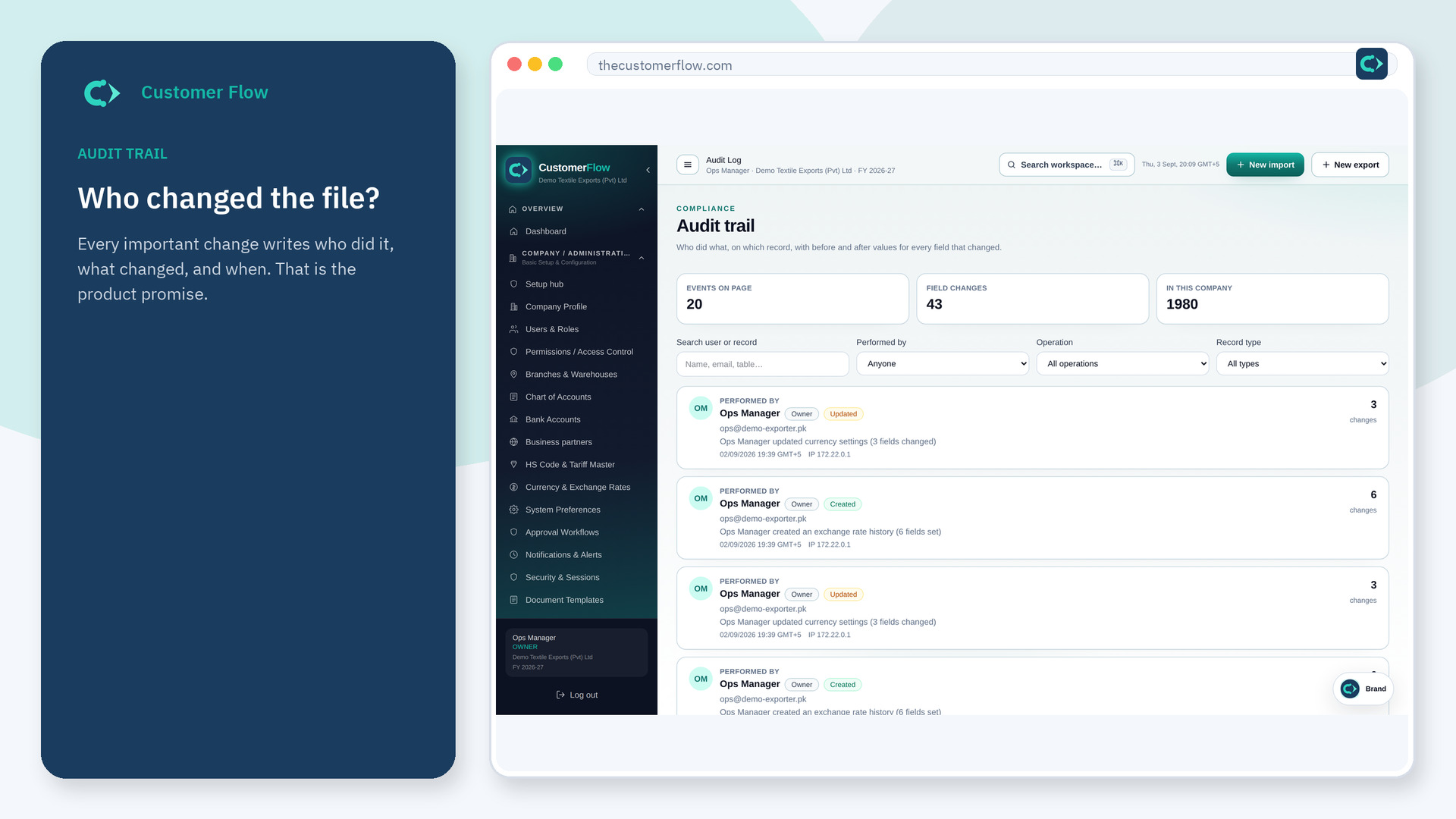
Who changed what, and when, across the company. This is the history auditors and banks ask for. It is not a chat archive.
Where to find it: Left menu → Company / Administration → Audit Log
Also in the menu as: Audit Trail.
Step 1
Left menu → Company / Administration → Audit Log. In the menu it may also say "Audit Trail". If the name is missing, your role does not include it — ask an admin in Users & Roles.
Step 2
Filter by person, file, or date. Open a row to see the fields that changed. Do not try to edit history — it is append-only.
Step 3
A change you just made on a file should appear here with your name and time.
Yes. Audit Log is a signed-in workspace screen. This public page teaches the screen with a picture and a link to the feature video. It never shows another company’s data.
The left menu only shows screens your role may open. Ask a company admin to grant the matching permission, or to show you which role should own this step.
No. That would break the point of the trail. Correct the live file; the correction is a new event.
